
Kevin Kinnett
May 1, 2026
Raw String Literals in C# 11: When to Use Triple-Quoted Strings
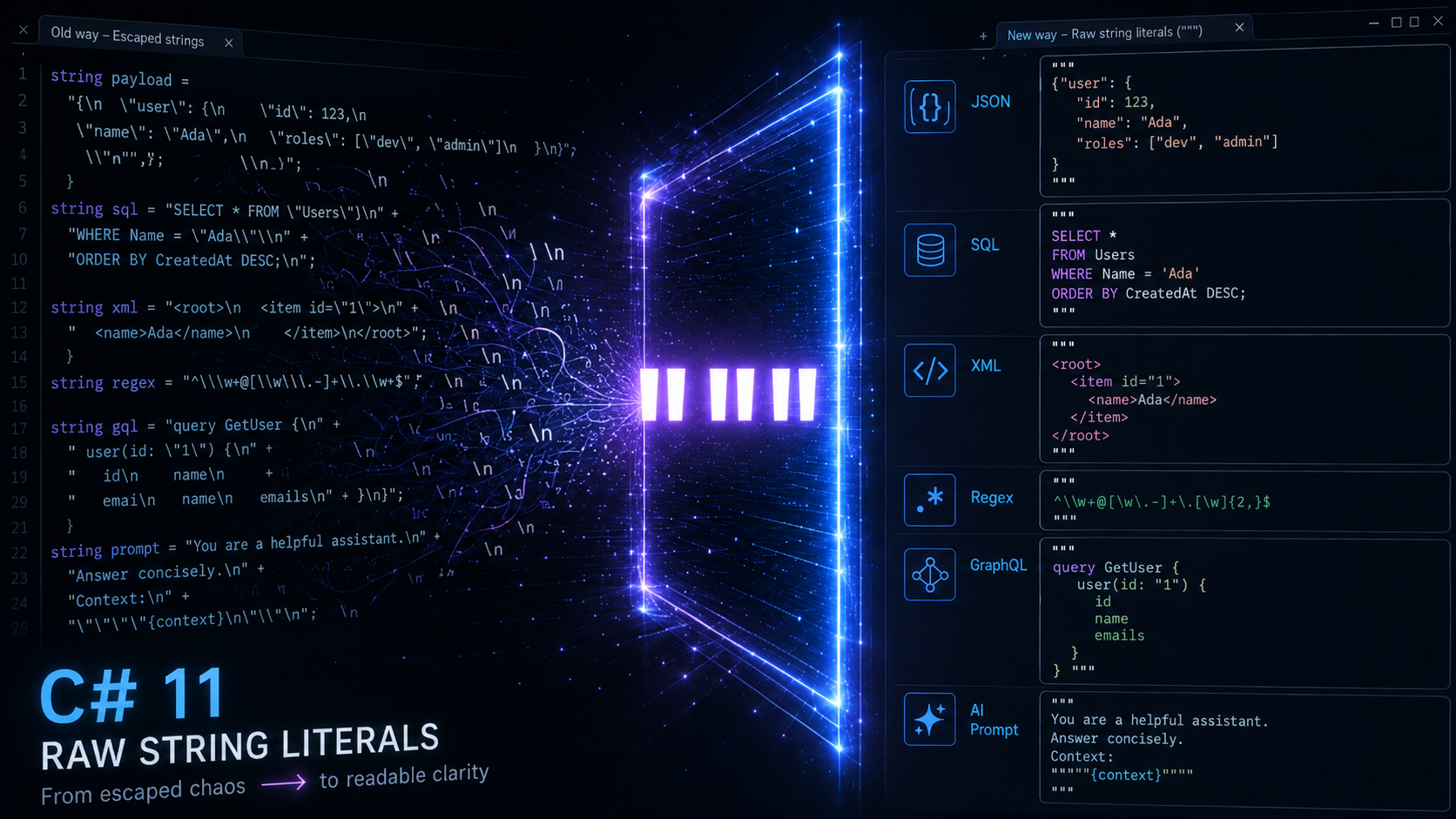
A raw string literal in C# 11 is a string surrounded by three or more " characters where no escape sequences are processed and any embedded quote run shorter than the delimiter is treated as literal text. That lets you embed JSON, regex, SQL, XML, file paths, and multi-line content in C# source code exactly as you would write it in a file — no doubled backslashes, no escaped quotes, no concatenation across lines. Raw string literals shipped in C# 11 / .NET 7 (November 2022) and require <LangVersion>11</LangVersion> or a compatible TFM.
Raw string literals at a glance
- Delimiter: three or more consecutive
"characters; opening and closing counts must match.- Escape processing: none.
\nis two characters;\"is a backslash and a quote.- Multi-line form: opening
"""on its own line, closing"""on its own line; the closing-delimiter column defines column zero for every content line.- Interpolation: prefix with
$for{}braces; add a$for each extra brace level ($$"""...{{x}}..."""treats single{and}as literal text).- Const-eligible: non-interpolated raw strings are compile-time constants and can be used in
const, attributes, default parameters, and switch case patterns.- Shipped: C# 11 / .NET 7, November 2022.
- External references: Microsoft Learn — raw string literals, C# language proposal.
I’ve spent more time than I’d like to admit escaping " characters inside C# JSON literals over the years, so this is one of the modern C# features I now reach for almost automatically. This post covers the syntax, when to choose raw strings over $"" and @"", the indentation rule that catches almost everyone the first time, and where it fits with the rest of modern C# string handling.
Quick summary
- Raw string literals are delimited by three or more
"characters:"""...""". - Inside the literal, no escape sequences are processed,
\nis two characters,\\is two characters, and an embedded"is just". - The literal can span multiple lines. The compiler trims leading whitespace based on the column of the closing delimiter.
- Add
$prefixes for interpolation: one$for{}braces, two$$for{{}}braces (each extra$requires one more brace to start an expression). - They shipped in C# 11 / .NET 7 (November 2022) and require
<LangVersion>11</LangVersion>or a compatible TFM.
What raw string literals are
A raw string literal is a string surrounded by three or more " characters where no escape sequences are processed and any embedded quote sequence shorter than the delimiter is treated as literal text. That solves the longstanding problem of pasting JSON, regex, or other quote-heavy content into a C# source file. Whatever you put between the delimiters is exactly what ends up in the resulting string.
string json = """
    {
        "name": "Kevin",
        "tags": ["csharp", "dotnet"]
    }
    """;
The result is a five-line string containing the JSON exactly as written. No \" escaping, no \n markers, no string concatenation across lines. The first time you write one of these you immediately notice how much friction the old escape-everything style was adding to readable code.
Syntax basics
A raw string literal starts with three or more consecutive " characters and ends with the same number of " characters. The opening and closing delimiters must match in length. Single-line and multi-line forms exist; multi-line literals must have the opening """ on its own line (with optional content on the next line) and the closing """ on its own line. The compiler trims leading whitespace from each content line based on the column of the closing delimiter.
// Single-line raw string
string greeting = """Hello, "Kevin".""";

// Multi-line raw string
string sql = """
    SELECT id, name
    FROM users
    WHERE active = 1
    """;

// Need to embed three quotes? Use four delimiters.
string quoted = """"
    The function is called """raw""" string literal.
    """";
The closing-delimiter indentation rule is the part that trips people up most often. Whatever column the closing """ sits in becomes the new “column 0” for every content line. Indent any content line less than the closing delimiter and the compiler will refuse to build the file. The first time I hit that error I stared at the screen for about a minute before I noticed the indentation was off by one. The next section covers the four corner cases that the headline rule alone doesn’t cover.
How the indentation rule actually works
The closing """ delimiter sits at some column N, and the compiler treats column N as the new “column 0” for every content line. That’s the headline rule, but four specific behaviors sit underneath it that the official documentation glosses over. Each one produces a recognizable “wait, why did it do that?” moment the first time you hit it.
The leading newline is stripped
If the opening """ sits on its own line (no content after it on the same line), the newline immediately after the opening delimiter is not part of the resulting string.
string value = """
    Hello
    """;
// value == "Hello"  (no leading newline)
The string starts at “Hello”, not at “\nHello”. Without this rule, every multi-line raw string would carry a leading blank line nobody wants.
The trailing newline is stripped too
Similarly, the newline immediately before the closing """ is removed when the closing delimiter sits on its own line:
string value = """
    Line 1
    Line 2
    """;
// value == "Line 1\nLine 2"  (no trailing newline)
If you actually want a trailing newline, leave a blank line before the closing """:
string value = """
    Line 1
    Line 2

    """;
// value == "Line 1\nLine 2\n"
Blank content lines do not need to match indentation
A blank or whitespace-only content line doesn’t have to start with the same whitespace as the closing delimiter. The compiler treats it as an empty line in the resulting string regardless of how it’s indented.
string value = """
    Paragraph 1.

    Paragraph 2.
    """;
The empty line between paragraphs is fine even though it has zero indentation. This is rare in code samples but matters for Markdown, prose, and other text where blank lines carry meaning.
Content indented MORE than the closer keeps the extra spaces
The closing delimiter’s column defines the floor, not the ceiling. Lines indented further preserve the extra spaces, which is how nested formats like YAML, Python source, and Markdown lists stay valid:
string yaml = """
    services:
      web:
        image: nginx
        ports:
          - "80:80"
    """;
The two-space-per-level YAML indentation survives because every nested line still starts past the closing-delimiter column. If you used a verbatim string @"...", you’d have to either give up the readable visual indent or carefully strip indentation at runtime. With raw strings, the source file and the runtime value match exactly.
When to use raw strings vs @"" and $""
Choose a raw string literal whenever the content contains double quotes or backslashes, or when you need predictable indentation across multiple lines. Choose a verbatim string (@"...") only when targeting C# 10 or earlier where raw strings aren’t yet available. Choose an ordinary interpolated string ($"...") for short, single-line strings where escape processing is harmless and the brace-counting overhead would be more confusing than helpful.
| Scenario | Best choice | Why |
|---|---|---|
| JSON or XML embedded in code | Raw string | No quote escaping, preserves formatting |
| Regex pattern with backslashes | Raw string | No \\ doubling |
| Windows file path | Raw string or @"" | Both avoid \\; raw is clearer if quotes appear |
| Short interpolated message | $"" | Smaller syntax cost |
| Multi-line SQL | Raw string | Indentation handling |
String containing { or } literally with interpolation | Raw string with $$ | Avoids {{ }} escape gymnastics |
| Single-line, no special characters | "" | Simplest form |
In my own code I now default to raw strings any time the content is more than one line or contains quotes. Verbatim strings are still useful for older codebases or when a project pinned <LangVersion> below 11, but they aren’t the modern default anymore.
For more on earlier C# string-literal forms, see my posts on custom string interpolation in C# with InterpolatedStringHandler and UTF-8 string literals in C# 11.
Combining raw strings with interpolation
Raw strings can be interpolated by prefixing the literal with one or more $ characters. The number of $ characters equals the number of consecutive { characters required to start an interpolated expression. That escape-by-counting approach lets you embed literal { and } without escaping when the surrounding content needs braces, which is common in JSON, CSS, and code-generation scenarios.
string name = "Kevin";
int count = 42;

// One $ : single-brace interpolation
string single = $"""
    Hello, {name}! You have {count} messages.
    """;

// Two $$ : double-brace interpolation, single { and } pass through literally
string template = $$"""
    {
        "name": "{{name}}",
        "count": {{count}},
        "literal": "{ this is a literal brace }"
    }
    """;
In the second example, { and } appear in the output as ordinary characters because the compiler now requires {{ to start an expression. That’s the part that makes embedding JSON or CSS templates noticeably cleaner than the {{ }} doubling that older $"" interpolation forced you into.
Raw strings as const and in attributes
A non-interpolated raw string literal is a compile-time constant, which means it can be used everywhere a const string can: attribute arguments, switch case labels, default parameter values, and the rest. This is one of the most useful raw-string capabilities and it doesn’t show up in most syntax explainers.
public class ApiDescriptor
{
    public const string OrderSchema = """
        {
          "$schema": "https://json-schema.org/draft/2020-12/schema",
          "type": "object",
          "required": ["id", "total"],
          "properties": {
            "id":    { "type": "integer" },
            "total": { "type": "number"  }
          }
        }
        """;
}

[Description("""
    Returns the user's order history.
    Sorted by createdAt descending.
    Limited to 100 records per page.
    """)]
public IActionResult GetOrders() { ... }
A few caveats worth keeping in mind:
- Interpolated raw strings (
$"""...""") aren’tconstbecause the interpolation runs at runtime. If you need aconst, the literal must be plain"""..."""with no$prefix. - The closing-delimiter indentation rule still applies inside an attribute argument, which means a
"""..."""block keeps its visual structure even when nested inside the[Description(...)]parentheses. constraw strings get string interning the same as any otherconst string, so identical literal blocks in different files share storage.
The attribute use case is the one that has surprised me the most often. Multi-paragraph documentation strings on [Description], [Display], and ASP.NET Core [Route] / OpenAPI metadata used to require either ugly + concatenation or \n escapes. A const raw string replaces both with content that reads like the documentation it actually is.
Common pitfalls
The two issues I’ve actually hit in real code are mismatched delimiter lengths and content lines indented less than the closing delimiter. Both produce compile-time errors with reasonably clear messages, but they’re easy to introduce when copying content into existing source files.
- Indentation underrun. If the closing
"""sits at column 8 but a content line starts at column 4, the compiler will refuse to build and tell you the line doesn’t start with the same whitespace as the closing line. Re-indent the offending line to at least the closing-delimiter column. - Delimiter length mismatch. A literal opened with
"""can’t be closed with"""", and vice versa. If your content contains a run of three or more quotes, count the longest run and use one more for the delimiter. - Interpolation hole spillover. With
$$""", you need{{expr}}to interpolate. A single{expr}inside is treated as literal text, which usually shows up as a runtime surprise rather than a compile error. Counting dollars and braces while reading the code is the cost of the flexibility. - Forgetting
<LangVersion>on older project files. If a project was created before C# 11 and pins an older language version explicitly,"""..."""will fail to compile with a misleading parse error. Update the project file or the TFM.
Less obvious places raw strings actually shine
Beyond the standard JSON / SQL / regex examples, raw strings change the ergonomics of any C# code that emits or consumes structured text, especially when the embedded format is heavy on quotes, braces, or significant whitespace. These are the use cases where I’ve found them most worth reaching for. Several of these rarely come up in language-feature explainers but show up constantly in real codebases.
Roslyn source generators and analyzers
Source generators emit C# code as strings at compile time. Before raw strings, every { and } you wanted in the generated code had to be doubled ({{ }}) to survive $"" interpolation, which made even modest generators painful to read.
// Inside an IIncrementalGenerator
var source = $$"""
    namespace {{ns}};

    partial class {{className}}
    {
        public string Describe() => "{{description}}";

        public IReadOnlyDictionary<string, int> ToMap() => new Dictionary<string, int>
        {
            {{ string.Join(",\n        ", entries.Select(e => $"[\"{e.Key}\"] = {e.Value}")) }}
        };
    }
    """;
context.AddSource($"{className}.g.cs", source);
With $$""", single { and } are literal C# braces and {{ }} is interpolation. The generated code reads like ordinary C# instead of brace-doubled noise. If you maintain a source generator, this single change is probably the biggest readability win in C# 11.
LLM prompt templates
Modern .NET apps that talk to Claude, OpenAI, or local models tend to embed prompts that mix multi-paragraph instructions, example JSON schemas (full of { }), code blocks, and variable substitution. That’s precisely the shape $$""" was designed for, even if the language designers weren’t specifically targeting AI tooling at the time.
var systemPrompt = $$"""
    You are a code review assistant. Reply in this JSON format:

    {
      "issues": [
        { "line": 12, "severity": "warning", "message": "..." }
      ]
    }

    Repository: {{repoName}}
    File under review: {{fileName}}
    Reviewer focus: {{focus}}

    Source code:
    ```
    {{sourceCode}}
    ```
    """;
The example schema in the middle of the prompt is left literal because of $$. The interpolated values cover only the parts that change per request. The whole prompt reads like a document, not a string-concatenation puzzle.
Inline snapshot and approval test fixtures
For small expected payloads, an inline raw string beats loading from a tests/fixtures/*.json file because the entire test reads as one unit and there’s no jumping between files when something fails.
[Test]
public void OrderToJson_ProducesExpectedShape()
{
    var order = new Order { Id = 42, Total = 19.95m };

    string actual = JsonSerializer.Serialize(order, _options);

    string expected = """
        {
          "id": 42,
          "total": 19.95
        }
        """;

    Assert.That(actual.Trim(), Is.EqualTo(expected.Trim()));
}
For payloads larger than a screen, fixture files still win. For everything smaller, inline raw strings make the test self-contained and the diff on failure obvious.
Embedded GraphQL queries
GraphQL queries are heavy on { }, on $variable placeholders that must stay literal, and on indentation that affects neither correctness nor readability, until you try to embed one in C# without raw strings.
const string query = """
    query GetUser($id: ID!) {
      user(id: $id) {
        name
        email
        repositories(first: 10) {
          nodes {
            name
            stargazers { totalCount }
          }
        }
      }
    }
    """;

var response = await client.SendQueryAsync(query, new { id = userId });
The $id placeholder is GraphQL-side, not C#, so a non-interpolated """...""" (no $ prefix) keeps it untouched. Compared with the alternatives, escape-heavy "", verbatim @"" with no real readability win, or shipping .graphql files alongside the binary, embedding the query inline is now a defensible default.
Diagram-as-code (Mermaid, PlantUML, DOT)
Tools like Mermaid, PlantUML, and Graphviz DOT use special characters and indentation in their source DSLs. Programs that generate architecture documentation, CI dashboards, or runtime topology snapshots can emit those DSLs as raw strings and feed them straight to the renderer.
string mermaid = $$"""
    graph LR
        Client --> {{serviceName}}
        {{serviceName}} --> Database[(Postgres)]
        {{serviceName}} --> Cache[(Redis)]
    """;

await File.WriteAllTextAsync(
    $"docs/architecture/{serviceName}.mmd",
    mermaid);
This is the kind of thing that used to be ugly enough to push people toward template engines like Razor or Scriban. With raw strings, a hundred-line diagram generator is now plain C# without any extra dependency.
Getting AI assistants to actually use raw strings
Most AI coding tools default to escaped or verbatim string literals because their training data is heavy with pre-C#-11 source code. Even when you’re working in a project that pins <LangVersion>11</LangVersion> or higher, Claude, GitHub Copilot, and Cursor will often produce "\"name\": \"...\""-style escaped JSON unless you explicitly steer them toward """...""". Three patterns work reliably to flip the default.
Add a project-level instruction file
Claude Code, Cursor, and Copilot all support repo-scoped instruction files (CLAUDE.md, .cursor/rules, copilot-instructions.md). One sentence in those is usually enough:
When generating C# code, prefer C# 11 raw string literals (triple-quoted
"""..."""") for any embedded JSON, regex, SQL, XML, multi-line text, or
strings containing double-quote characters. Use $$"""..."""" with double
braces for interpolation when the content contains literal { or }.
That instruction sits in the agent’s context for every generation and shifts the default for the entire project, not just one prompt.
Hint inline at the call site
When you’re dictating a one-off generation in chat or as an inline comment:
// Use a C# 11 raw string literal ($$"""..."""") with interpolation here.
var prompt = ...
The comment is enough hint for the assistant to pattern-match on the right syntax. Both Claude and Copilot follow this reliably in my experience.
Show, don’t just tell
If the assistant keeps producing escaped strings despite the instruction, drop one example into the surrounding code:
// Existing literal in this file (notice the syntax):
const string ExistingExample = """
    {
      "ok": true
    }
    """;
Once one raw-string literal exists in the file, the assistant tends to copy that pattern for every new string it writes nearby. This is the cheapest fallback and the one I reach for when the instruction file alone isn’t enough.
For more on the AI-as-5GL angle, see my post on 5th generation programming languages, which makes the case that modern AI code generators are functionally a new 5GL: describing intent rather than algorithm. Raw string literals are one of the small language-level features that make the AI-prompted generation pattern feel less like fighting the language.
Where this fits with other C# string features
Raw string literals are the third major C# string-handling feature in the C# 11 / .NET 7 generation. Together with UTF-8 string literals (u8 suffix) and the existing custom string interpolation via InterpolatedStringHandler, they give modern C# code three distinct tools that didn’t exist in earlier versions:
- Raw strings for embedding text without escape processing
- UTF-8 literals for allocation-free UTF-8 byte sequences
- Custom interpolation handlers for controlling how interpolated strings are built
Each one targets a different problem. Raw strings make markup-heavy text readable. UTF-8 literals make binary protocols cheap. Interpolation handlers make logging and validation work without intermediate string allocations. Together they reduce the number of cases where you used to fall back to StringBuilder, string.Format, or string concatenation just to make the source file parse cleanly.
My take
Raw string literals are one of those C# features that look small until you start using them on real code, and then it’s hard to go back. The triple-quote delimiters skip escape processing, the indentation rule handles multi-line formatting predictably, and the dollar-sign-counting interpolation extends gracefully when you need brace-heavy templates. If you’re writing C# 11 or later, I think raw strings should be the default for any string longer than one line or any string containing quotes, backslashes, or braces. The cost of switching is a couple of minutes to learn the indentation rule. The benefit is source files that read closer to the format they actually contain.
For more on modern C# string handling, see Custom String Interpolation in C# with InterpolatedStringHandler and UTF-8 String Literals in C# 11. Together those three posts cover the C# 11 / .NET 7 string-handling generation in depth.
Senior software engineer with nearly two decades of experience in .NET, Azure, Kubernetes, and cloud-native architecture. Writes about software engineering, emerging technology, and solid-state batteries. More about Kevin